Set Up Your AI Agent
Follow these simple steps to create your personalized AI assistant that answers questions and recommends products 24/7.
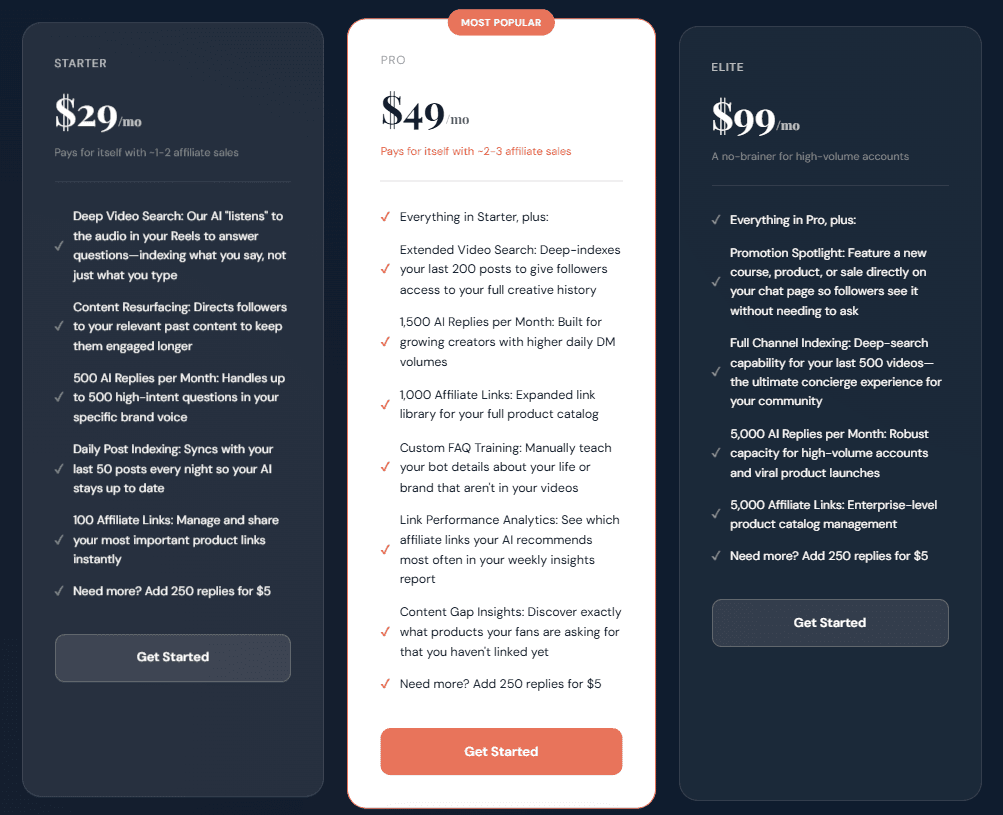
Choose Your Plan
Head to our pricing page and pick the plan that fits your needs. Most creators start with Pro. Click the 'Get Started' button on your chosen plan.
Create Your Account
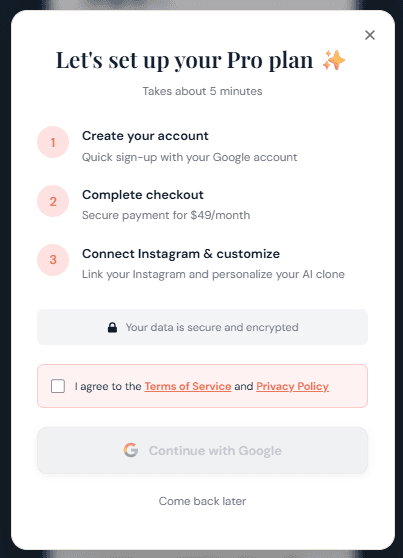
A quick setup pop-up will walk you through the process. Check the box to accept the Terms of Service and Privacy Policy, then click 'Continue with Google' to create your account.
Sign In with Google
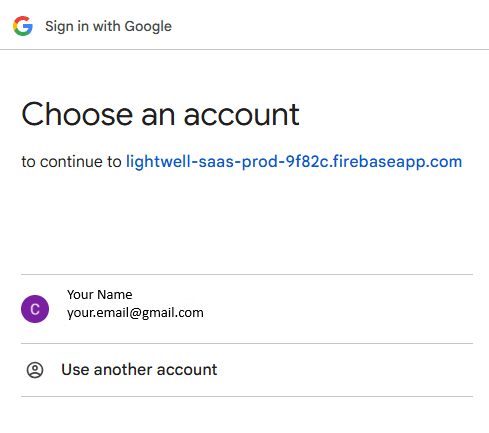
Choose your Google account from the popup. This creates your Lightwell account instantly — no passwords to remember.
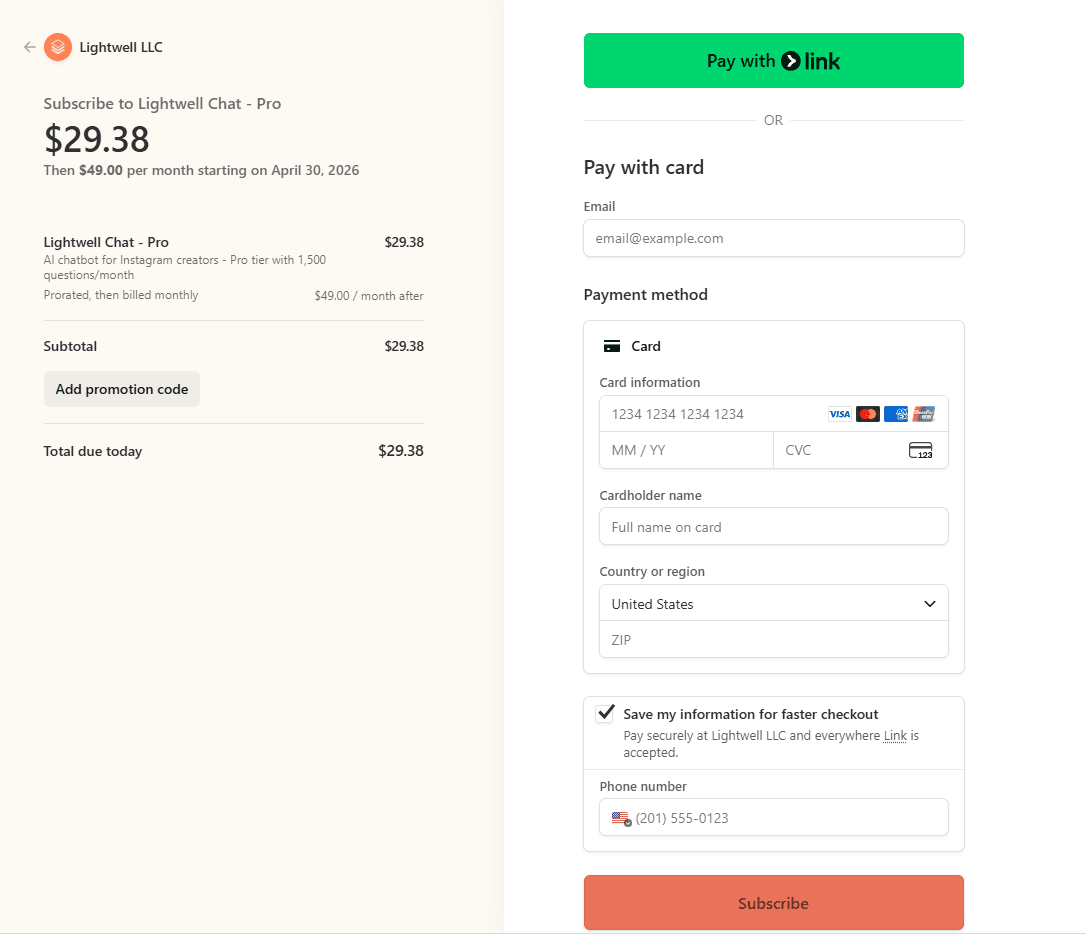
Complete Checkout
You'll be taken to our secure Stripe checkout page. Enter your payment details and subscribe. If you have a promo code, click 'Add promotion code' to apply your discount.
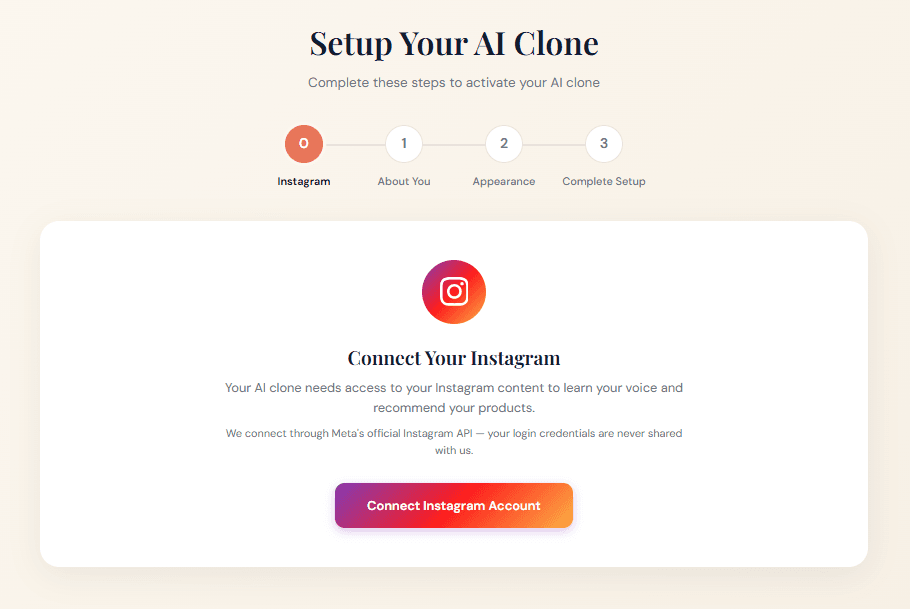
Connect Your Instagram
After checkout, you'll land in the setup wizard. The first step is connecting your Instagram Business account. Click 'Connect Instagram Account' and authorize Lightwell through Instagram's official login.
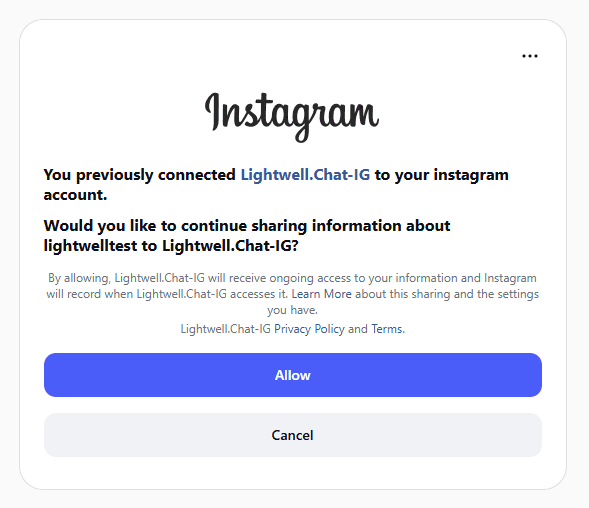
Authorize Access
Instagram will ask you to confirm the connection. Click 'Allow' to let Lightwell read your posts and captions. We never post on your behalf — we only read your content to train your AI Agent.
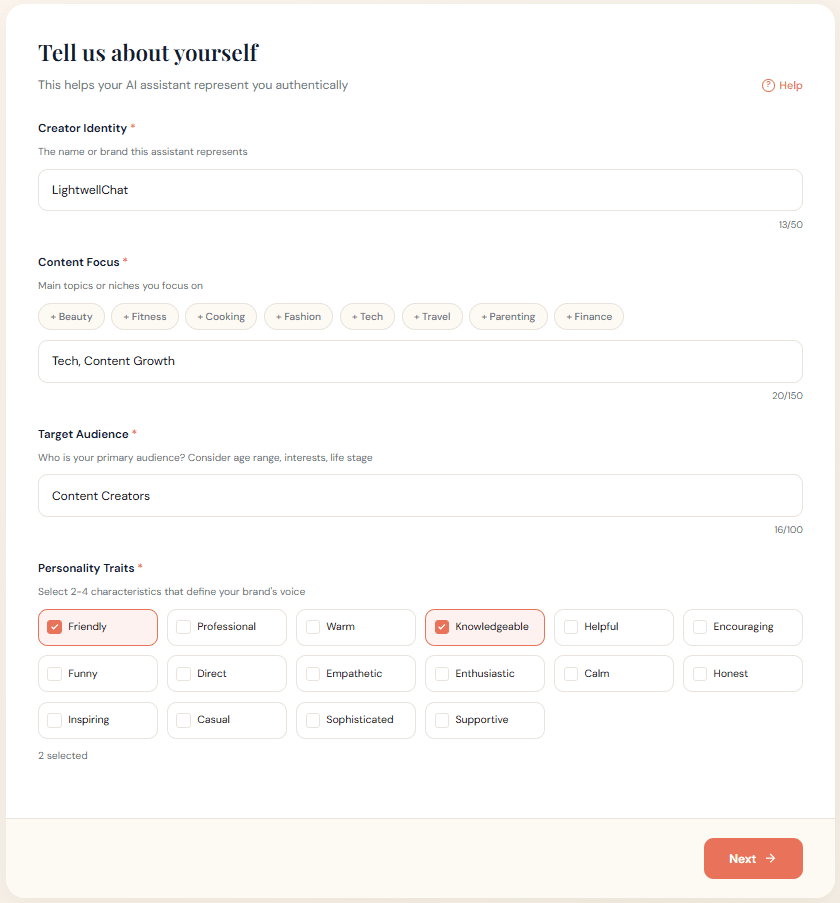
Tell Us About Yourself
Fill in a few details about your brand: your name, content focus, target audience, and personality traits. This helps your AI Agent sound like you.
Customize Your Agent
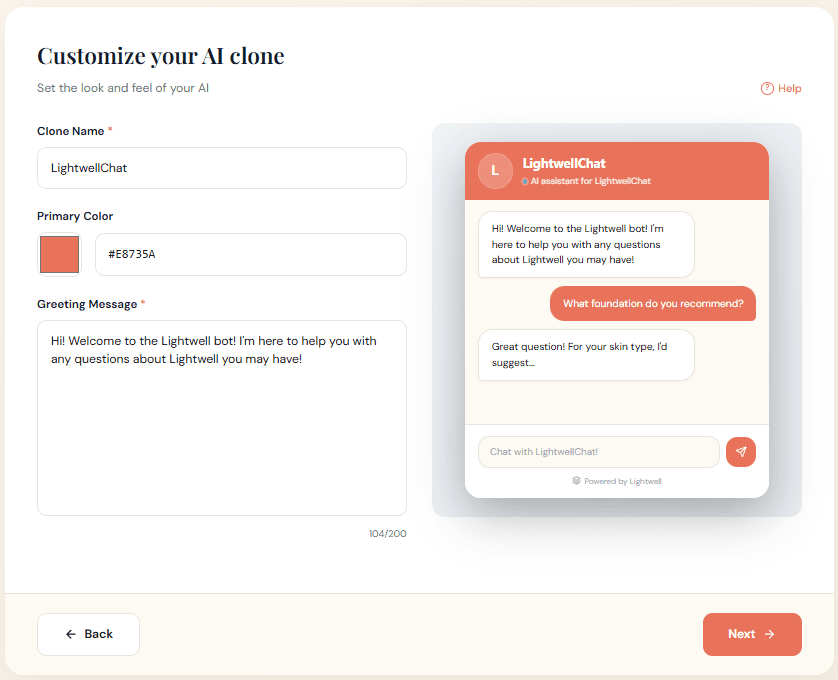
Give your AI Agent a name, pick a brand color, and write a greeting message. The live preview on the right shows exactly how your chatbot will look to visitors.
Add Affiliate Links (Optional)
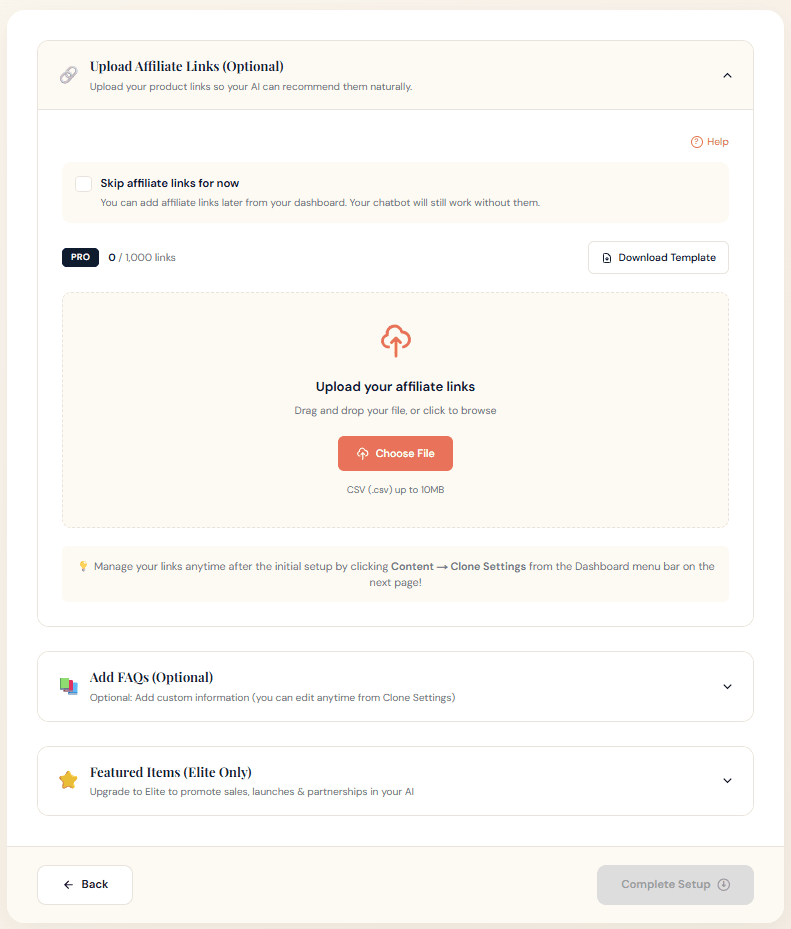
Upload your affiliate links so your AI can recommend products naturally in conversation. You can skip this step and add them later from your dashboard. You can also add custom FAQs to teach your bot things that aren't in your videos.
You're Live!
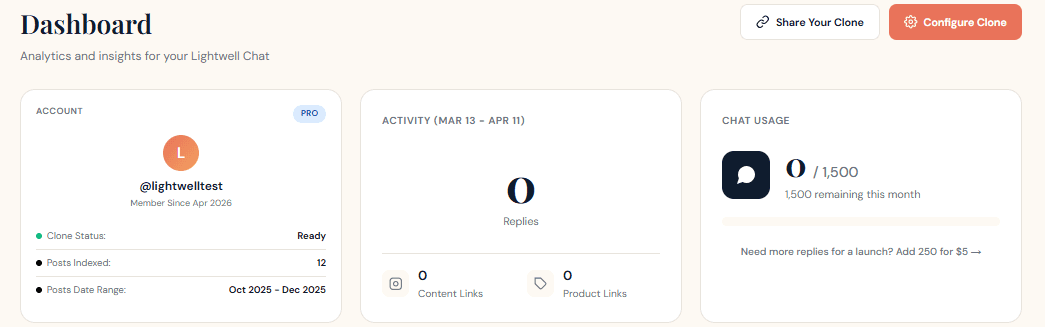
That's it! Your AI Agent will start learning from your Instagram content right away. The dashboard shows your agent's status as it processes your posts — first 'Warming Up', then 'Processing', and finally 'Ready'. This usually takes 15-30 minutes depending on how many posts you have.