Billing & Subscription
Manage your subscription, billing, and account settings.
Subscription Tiers
Choose the plan that fits your needs:
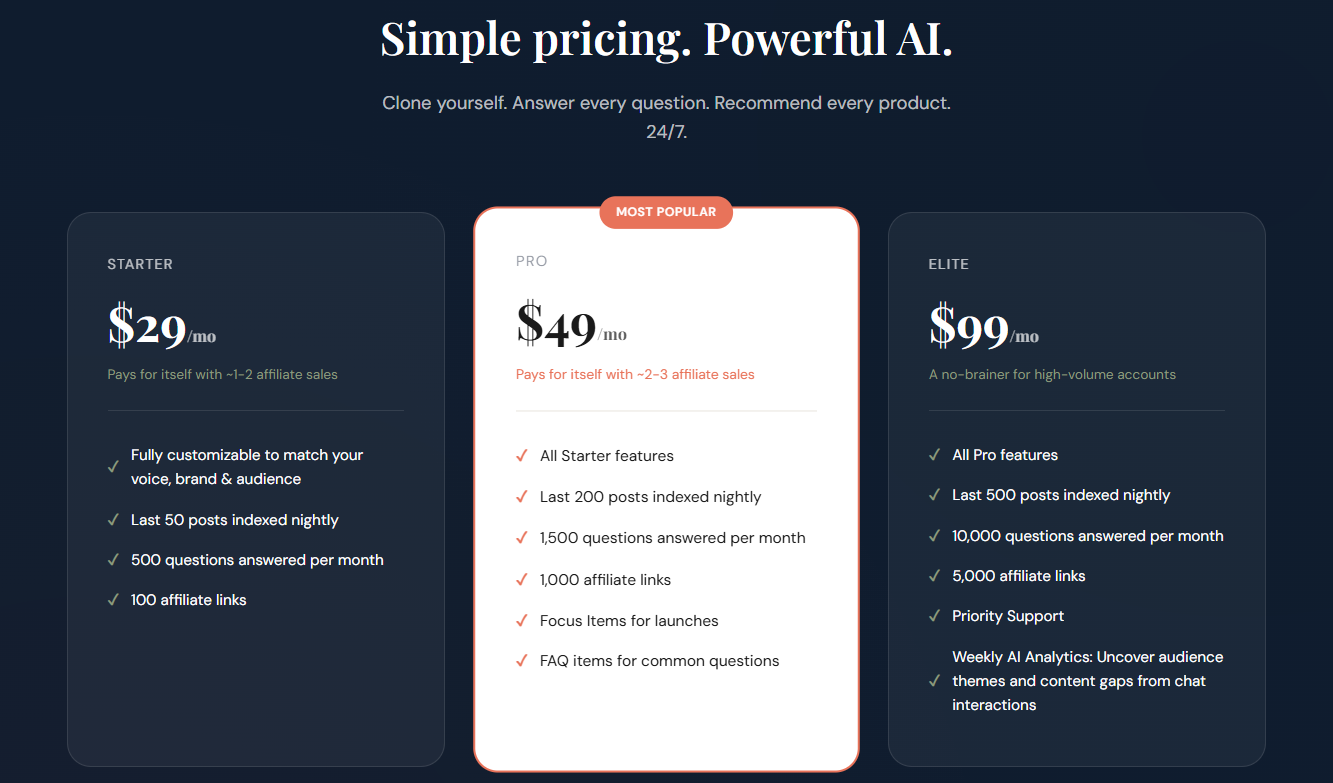
Tier Details
starter
$29/mo
- 500 AI replies/month
- 50 posts
- 100 affiliate links
pro
$49/mo
- 1,500 AI replies/month
- 200 posts
- 1,000 affiliate links
elite
$99/mo
- 5,000 AI replies/month
- 500 posts
- 5,000 affiliate links
Change Subscription Level
To upgrade or downgrade your subscription:
- Go to Settings (Account dropdown in the top right)
- Click "Manage Subscription"
- You'll be redirected to Stripe's customer portal
- Select "Update plan" to change your tier
Changes take effect immediately. If you upgrade mid-cycle, you'll be charged a prorated amount. If you downgrade, the change takes effect at the end of your current billing period.
Cancel Subscription
To cancel your subscription:
- Go to Settings
- Click "Manage Subscription"
- In the Stripe portal, select "Cancel plan"
What happens when you cancel:
- Your subscription remains active until the end of your current billing period
- Your chatbot will stop working after the billing period ends
- Your data is retained for 30 days in case you want to reactivate
- You can resubscribe at any time to restore your chatbot
Delete Account
⚠️ Warning: Account deletion is permanent and cannot be undone.
To permanently delete your account:
- Go to Settings
- Scroll down to the "Danger Zone" section
- Click "Delete Account"
- Type your username to confirm
What gets deleted:
- All your configuration data
- All affiliate links
- Your AI Agent and its knowledge base
- All chat history and analytics
- Your Stripe subscription (automatically cancelled)